
Is Roblox Safe for Kids? A Complete Guide for Parents
Most parents first hear about Roblox from their child, not from a news article or a safety report. Your kid comes home from school talking about it, or you find them already watching YouTube videos of other people playing it. Before you know it, the question is right in front of you.
This guide gives you a clear, honest answer. No exaggeration, no dismissing real concerns. Just what you actually need to know before your child logs on for the first time.
What Is Roblox?
Roblox is everywhere right now, but a lot of parents are not entirely sure what it is. Here is a quick breakdown before getting into the safety side of things. If you want to learn more about how Roblox works and explore different versions, check out our Roblox Mod APK guide
Roblox as a Gaming Platform
Roblox is not one game. It is a platform that lets users build and publish their own games, called experiences, which other players can then jump into. Think of it like YouTube, but instead of videos, people upload playable games. When your child opens Roblox, they are browsing through millions of user-made worlds that differ completely from each other in terms of content, difficulty, and who made them.
Why Roblox Is Popular With Kids?
It is free, it runs on almost any device, and it lets kids play with their school friends online without everyone needing the same console. That alone makes it a go-to. On top of that, kids can build things, customize their character, and hang out socially all within the same app. A lot of children treat it more like a hangout spot than a traditional video game.
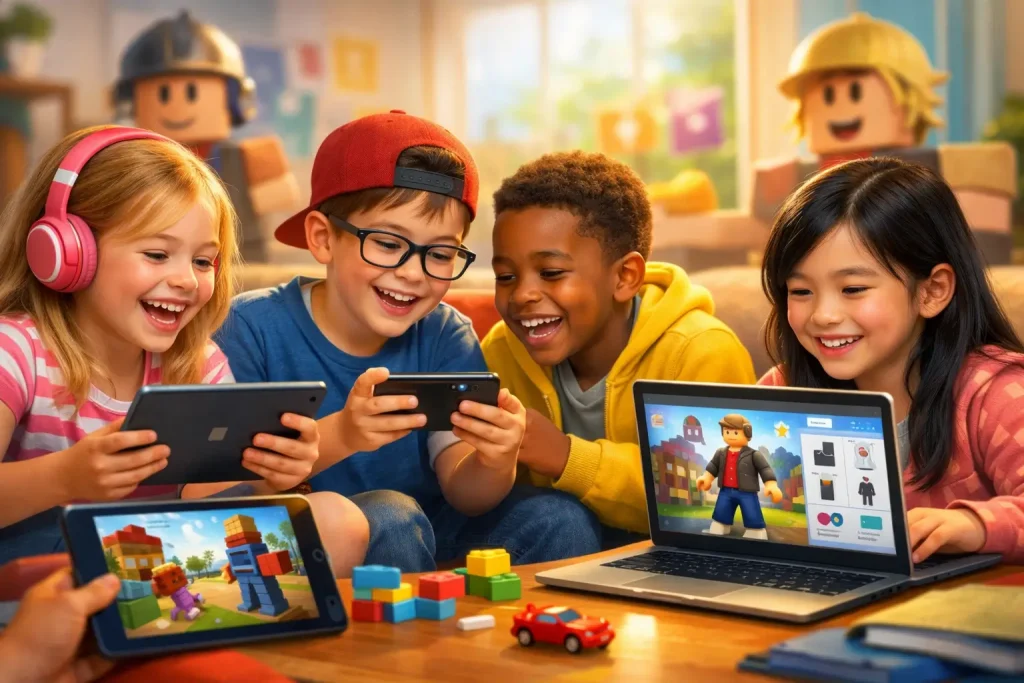
Roblox Age Rating and Recommended Age
Roblox is rated T for Teen by the ESRB, which officially means it is intended for players 13 and up. That said, children as young as 6 and 7 use it regularly, and Roblox does not turn them away. Accounts set up for under-13 users do get tighter default restrictions on chat and certain content, but there is no hard age gate stopping younger kids from signing up. The full ESRB note says Diverse Content, Discretion Advised, which is the rating body’s way of saying the games inside vary so wildly that no single label covers all of them.
Is Roblox Safe for Kids
Every parent asks this, and the honest answer is not a simple yes or no. It depends on how it is used and how involved you are as a parent.
Interaction With Strangers
By default, other Roblox users can chat with your child inside games and jump into the same servers. Most random interactions are fine, but some are not. Adults have used Roblox to slowly build trust with children over time, then moved the conversation to Discord, Snapchat, or other platforms where it is much harder for parents to see what is happening. Locking down who can contact your child is one of the first things to do before they start playing.
Inappropriate User-Generated Content
Because the games on Roblox are made by regular users rather than by the company, the content is all over the place. Roblox moderates the platform, but games with sexual themes, violent content, and adult references have been found accessible to children’s accounts. The maturity labels on games are better than nothing, but they miss things, so checking what your child actually plays is more reliable than trusting a label.
Cyberbullying and Toxic Behavior
Bullying happens on Roblox the same way it happens on any social platform. Kids get targeted in chat, ganged up on in games, or deliberately excluded. Role-play games and competitive multiplayer modes are where it tends to show up most. Younger kids often have a harder time shaking it off because the line between game and reality is not always clear to them at that age.
Robux Scams and Fake Offers
Robux is the in-game currency, and it attracts a lot of scams aimed directly at children. The most common ones are websites or social media posts promising free Robux in exchange for login details. Kids fall for them because they genuinely want the currency and are not yet good at spotting a fake. The one rule worth drilling into any child who plays Roblox: free Robux offered anywhere outside the official app is a scam, every time, no exceptions.
In-Game Purchases and Spending Risks
Roblox games regularly use cosmetic items, exclusive upgrades, and social status mechanics to push players toward spending Robux. Kids can feel left out if they do not have certain items, which creates real pressure to keep buying. Without a parent setting a spending limit, those small purchases can quietly add up to a surprising total on a connected card, often without the child registering that they are spending actual money.
Screen Time and Gaming Addiction
Roblox is designed to pull players back in. Daily login bonuses, time-limited events, and constant social activity all work together to make kids want to keep playing. Some children find it hard to stop, and over time that can affect their sleep, school focus, and mood when they are offline. The earlier parents set time limits, the less of a fight it tends to be later.
Roblox Safety Features
Roblox has invested significant effort in safety over the past few years. These are the main tools the platform has in place and what each one does.
Chat Filters and Content Moderation
Every message sent on Roblox goes through an automated filter before the other person sees it. It is set up to catch personal information, inappropriate language, and harmful content. Roblox also runs an AI system called Sentinel that looks specifically for grooming patterns in conversations. In the first half of 2025 alone, Sentinel flagged roughly 1,200 cases to US child safety authorities. These tools catch a lot, but they are not foolproof, and users do find workarounds.
Age-Based Account Restrictions
Roblox splits users into age groups that come with different levels of access. Kids under 9 have chat turned off by default, and a parent has to switch it on. Users under 13 get filtered text chat but cannot send direct messages outside of active games. Teens 13 and over have more freedom, and content marked for adults requires age verification to access. These rules were rolled out globally in early 2026 and are stricter than what was in place before.
Game Content Labels and Experience Guidelines
Every game on Roblox is tagged with a maturity label: Minimal, Mild, Moderate, or Restricted. Restricted games, which can include strong violence, drinking references, or romantic content, are only available to verified adult users. Parents can filter by these labels inside the parental controls, though using them as a starting point rather than a final check is the smarter approach.
Blocking and Reporting Players
Kids can block or report any player directly from within a game or chat, and a blocked user loses all access to your child’s account. Reports go to Roblox’s moderation team for review. The catch is that kids only use these tools if they know about them and feel comfortable enough to speak up. Taking five minutes to walk your child through how blocking and reporting work is worth doing before they run into a problem.
Roblox Parental Controls
The parental controls on Roblox are actually pretty thorough, but they do nothing until someone turns them on. Here is what to set up and how to do it.
- Link a parent account: Log into your child’s Roblox account, go to Settings → Family or Parental Controls, and connect your own Roblox account so you can manage their settings.
- Create a parental PIN: Add a PIN in parental controls to prevent your child from changing safety settings.
- Manage chat and communication: Use Privacy Settings to control who can chat, send friend requests, or message your child. For younger kids, set it to Friends only or turn chat off.
- Control game access: Use content maturity filters or enable Account Restrictions to limit games to age-appropriate experiences.
- Manage spending: Set a Robux spending limit, disable purchases, or enable notifications for purchase attempts.
How Parents Can Make Roblox Safer
Getting the settings right is a solid start, but staying involved over time is what actually makes a difference. A few consistent habits go a long way.
Use All Privacy and Safety Settings
Do not leave anything on the default setting. Default is not built for young children. Go through every section of the parental controls before your child starts playing, restrict chat, block purchases, and set the PIN. Doing it properly once saves a lot of problems later.
Monitor the Games Your Child Plays
Your linked parent account shows you what games your child has been playing. Look through it now and then, and if you see a game you do not recognize, look it up. You will find out quickly whether it is appropriate. Knowing what your child is actually playing is far more useful than relying on content labels.
Keep Gaming Devices in Shared Spaces
A tablet in the living room and a tablet in a bedroom with the door shut are two very different situations. Keeping devices in common areas means you can glance at what is on screen, and children are naturally more careful when they know someone might walk past.
Teach Kids Basic Online Safety Rules
Three rules cover most of the risk: do not share your real name, school, or address with anyone online; do not agree to meet up with someone you only know from a game; and come to a parent straight away if anyone says something that makes you feel strange or uncomfortable. Keep saying these things regularly rather than once, and make it feel like a normal conversation rather than a warning.
Watch for Warning Signs
If your child starts hiding their screen, receives Robux or items they cannot explain, gets unusually upset when gaming time ends, or mentions someone online they seem very attached to, those are worth paying attention to. You do not need to jump to conclusions. Just ask casually who they have been playing with lately and how it is going. Kids are usually willing to talk if the question comes without any tension attached to it.
Roblox Benefits and Drawbacks for Kids
While Roblox has some real risks, it also offers several benefits when children use the platform with proper supervision and safety settings.
Benefits for Kids
Possible Drawbacks
Final Thoughts for Parents
Roblox is not going to disappear, and banning it outright tends to make it more appealing rather than less. The better approach is knowing how it works, getting the controls set up properly, and staying part of your child’s experience on the platform rather than standing outside it.
Sort out the parental controls before your child plays for the first time, learn the names of the games they keep going back to, and ask about their friends on there the same way you would ask about anyone else in their life. That kind of regular, low-key involvement is what actually keeps kids safe, not any single feature or setting.
FAQS-Frequently Ask Question