
What is Roblox Studio? Discover Its Amazing Features
Many people love playing Roblox games, but most players don’t know how those games are actually made. When beginners search for answers, they often find confusing tutorials filled with technical words, long videos, or missing steps. This makes Roblox game creation feel harder than it really is.
That’s where Roblox Studio comes in. Roblox Studio is the official tool used to create games, worlds, and experiences on Roblox. It is free, beginner-friendly, and powerful enough for professionals. You don’t need to be a coding expert to start. Even simple ideas can turn into playable games.
In this guide, you’ll learn what Roblox Studio is, who can use it, its main features, how to create your first game, and how developers earn money from it. Everything is explained in clear, simple language so anyone can follow along with confidence.
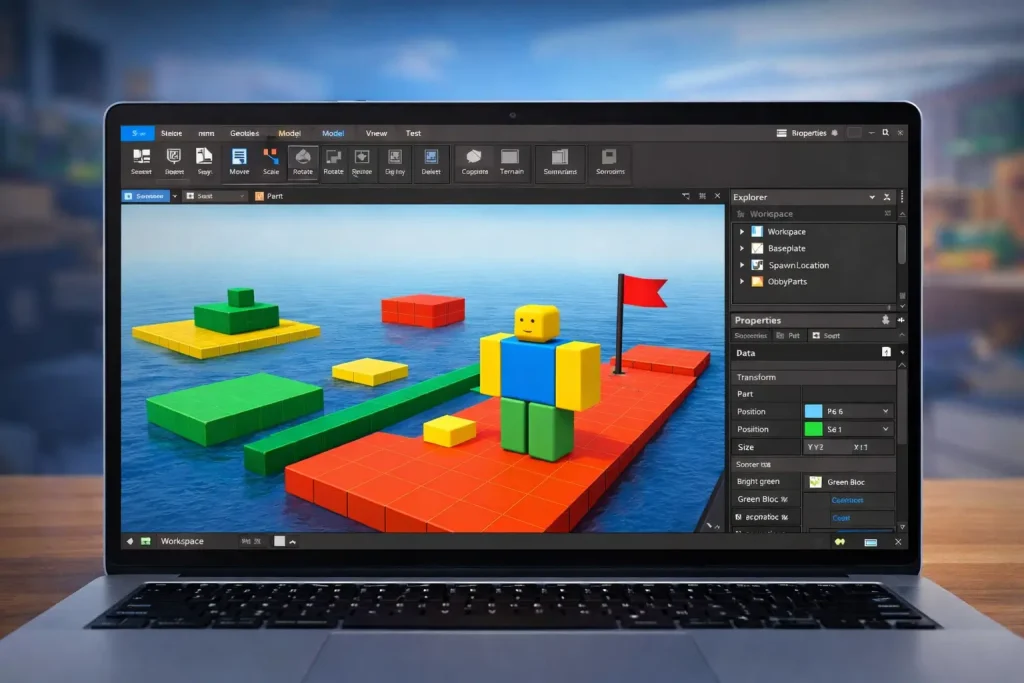
What Is Roblox Studio?
it is a game development program created by Roblox. It allows users to build games, design maps, add characters, and create interactive experiences that can be played by millions of users worldwide.
With this tool, you can create almost any type of game. Popular examples include obstacle courses (obbies), role-playing games, simulators, tycoon games, and adventure worlds. The software gives you tools to place objects, design terrain, control lighting, and add scripts that make things move and react.
One of the most important parts of this tool is Lua scripting. Lua is the programming language used to control game actions, such as opening doors, giving rewards, or starting a race. The good news is that Roblox Studio supports beginners with built-in scripts and learning resources.
Roblox Studio works on Windows and macOS and connects directly to your Roblox account. Once your game is finished, you can publish it with one click. Other players can then play your game on PC, mobile, tablet, Xbox, and other supported devices.
Who Can Use Roblox Studio?
it is designed for everyone, not just professional developers. It is especially popular among beginners, students, and young creators who want to learn game development in a fun way.
Here’s who can use it:
You only need a free Roblox account to use it. There is no age restriction, but younger users should follow parental guidance and platform rules.
Key Features of Roblox Studio
It offers many powerful features that make game creation simple and flexible.
Visual Building Tools
You can create maps and structures using parts like blocks, spheres, and models. Objects can be resized, rotated, and positioned easily. This helps beginners build environments without stress.
Terrain Editor
The terrain editor lets you create realistic landscapes such as mountains, rivers, deserts, and oceans. You can sculpt land, paint textures, and add water in just a few clicks.
Lua Scripting Support
Lua scripts control how your game works. Scripts can handle player movement, scoring systems, animations, and events. Roblox Studio includes script templates, which makes learning easier.
Asset Library
Roblox Studio has a built-in library with thousands of free models, sounds, animations, and tools. These assets save time and help beginners build faster.
Testing and Debugging
You can test your game inside Roblox Studio before publishing. This helps you find bugs, fix errors, and improve gameplay. You can test how your game works on different devices as well.
Multiplayer Support
Roblox games are multiplayer by default. Roblox Studio allows you to design games where players interact, compete, or cooperate in real time.
Team Create
Team Create allows multiple developers to work on the same game together. This is useful for group projects and larger games.
Publishing and Updates
Once your game is ready, you can publish it instantly. You can also update your game anytime without creating a new version.
How to Download Roblox Studio
Downloading Roblox Studio is simple and completely free. You only need a Roblox account and a computer. Below is a simple and short method to download it.
After installation, you can start creating games immediately using the built-in templates and tools.
If you want a complete step-by-step guide on how to download and install Roblox Studio properly, visit our page:
How to Download and Install Roblox Studio
Your First Game (Simple Obby Tutorial)
An obby (obstacle course) is one of the easiest games to create in Roblox Studio. Let’s go step by step.
Step 1: Install Roblox Studio
Download it and log in using your Roblox account.
Step 2: Create a New Project
Open Roblox Studio and click “New”. Choose the Baseplate template. This gives you a flat starting area.
Step 3: Add Platforms
These platforms will become your obstacle path.
Step 4: Add Obstacles
You can add challenges by:
To make a part dangerous, change its color to red and add a simple script that resets the player when touched.
Step 5: Set Spawn Location
Add a SpawnLocation so players respawn correctly if they fall.
Step 6: Test the Game
Click Play to test your obby. Jump across platforms and check if everything works properly.
Step 7: Publish Your Game
Once satisfied:
Congratulations! You’ve created your first Roblox game.
Making Money with Roblox Studio (Basics)
It allows developers to earn real money through their games.
Robux Earnings
Players earn Robux, Roblox’s virtual currency. Robux can later be converted into real money through the Developer Exchange (DevEx).
Common Ways to Earn
Requirements
To cash out Robux:
Many developers start small and grow over time. Good gameplay, updates, and community interaction increase earning potential.
Final Words
Roblox Studio is one of the easiest ways to start game development. You don’t need coding experience or expensive tools. With simple building features and optional scripting, anyone can create fun Roblox games and improve over time.
Whether your goal is learning, creativity, or earning Robux, Roblox Studio gives you everything you need to begin. Start with a small project, practice regularly, and keep improving your skills. Every successful creator started the same way.
The best step is to download Roblox Studio, open your first project, and start building today.
FAQS-Frequently Ask Question